How to capture product demonstrations and brand mood in one shoot
First, split functional explanations and brand atmosphere into two types of shot tasks, then mark shared sets, evidence shots that must be filmed separately, and the shooting order. Use a clear desk lamp assumption to demonstrate how to arrange the shot list and prevent mood shots from replacing functional proof.
Published: 2026-11-25
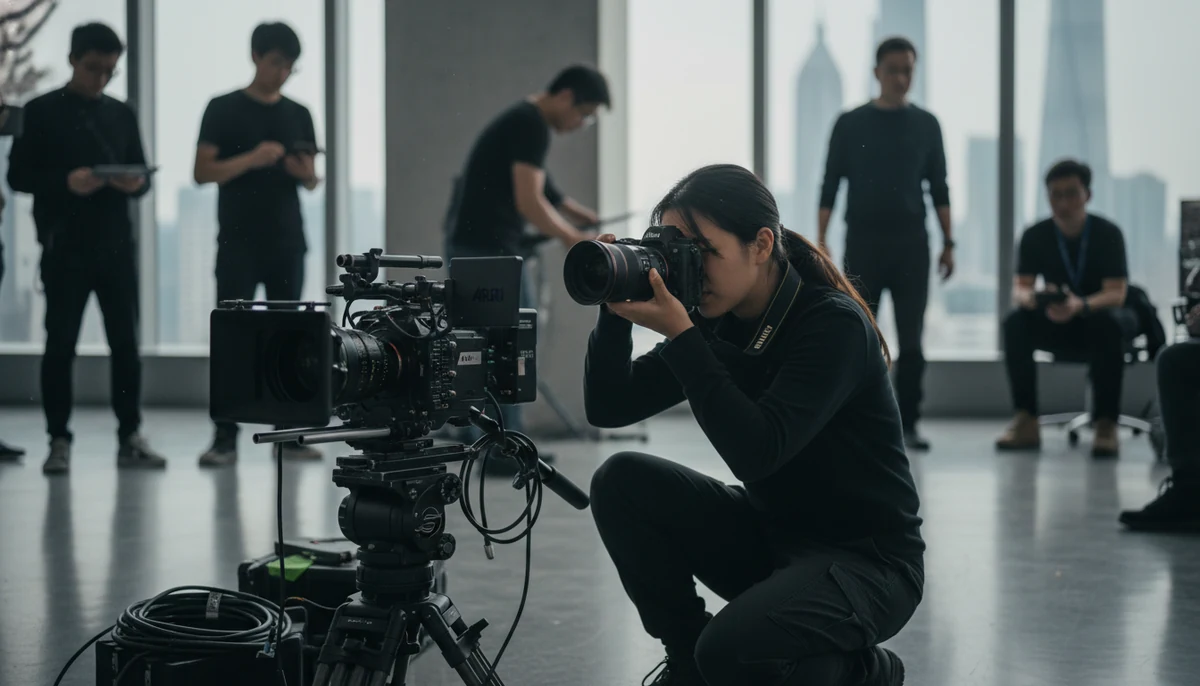
A single shoot can prepare both product functional shots and brand mood material, but their purposes must be distinguished in the storyboard. Functional shots answer 'what the product does and how the action occurs,' while mood shots establish lighting, space, and character state. The two may share scenes or props but cannot replace each other: a set of beautiful atmospheric shots may not explain functionality, and clear operation close-ups may not convey the feeling the brand wants.
Assign different tasks to the two types of material first
Before shooting, specify the primary purpose, what the shot must prove or express, and its final potential use for each shot. Functional material should correspond to confirmed product data and real operations, such as button location, action sequence, and component changes; brand mood material can be designed around usage time, spatial relationships, lighting, and character state. If a shot serves both tasks, clarify what the audience needs to understand first to avoid being unclear on both sides by trying to cover both.
Purpose also affects shooting coverage. Functional demonstrations usually require stable, clear angles and sufficiently complete actions; mood shots may be better suited to negative space, side backlighting, and the relationship between characters and the environment. The shot list can be marked as 'Functional Main Shot,' 'Mood Supplement,' or 'Dual-purpose,' rather than just 'Product Close-up,' leaving the cinematographer and post-production to guess the purpose.
Break down the shot list concretely using an assumed product
The following hypothetical example does not describe a Kanon Film client or an actual product: suppose a desk lamp confirmed by the product provider supports brightness adjustment. The functional group can first clearly film the control location, operation action, and brightness changes, while fixing the camera position and environmental exposure to avoid misreading brightness changes caused by the camera's auto-exposure; the mood group then films the night reading desk, character turning pages, and room lighting. If whether the brightness change is real and how it is operated has not been confirmed by the manual or sample, list this item as pending verification and do not write the assumption into the final copy.
The two types of shots can share the desk, books, and part of the lighting setup, but should be filmed sufficiently separately. Functional shots must allow the audience to see the before and after of the operation; mood shots can use wider compositions to express space and state. If only one side-backlit shot of a character reading is filmed, post-production cannot use subtitles to supplement the missing operational evidence.
Arrange shooting order by on-site conditions, not by material name
In addition to the shot list, create a scene and conditions table: product model, sample status, adjustable functions, camera positions to be locked, prop locations, lighting changes, and parts that must remain continuous. First film the functional main shots that have higher requirements for exposure, state, and action sequence, then arrange atmospheric supplement shots based on the scene and lighting; if lighting or venue conditions are the opposite, adjust according to actual limitations and include reset, fill light, and reshoot time in the plan.
Do not arbitrarily change product status or functional actions to save set changes. If adjacent shots require the same setup, record the lighting, camera position, focal length, and prop locations; if mood shots require changing color temperature or exposure, mark this as an expressive change to avoid post-production misinterpreting it as a product functional change. Actual shooting still needs to be refined based on confirmation from the director, cinematographer, art director, and product owner.
Check on-site and during post-production handover separately
- Functional material: Does the model match the sample? Is the action filmed completely? Can the operation object and result be seen in the frame?
- Mood material: Do the character, scene, and lighting serve the film's positioning? Do they obscure brand or product identification?
- Shared material: What purpose does it serve respectively? Can it still express the original meaning after cropping or muting?
- Incomplete items: Which shots lack product provider confirmation, need reshooting, or can only serve as illustrations?
- Handover information: Are file names, scenes, shot purposes, product status, and limitations recorded together?
During the rough cut, first watch in functional order to check if product information is complete; then check mood material in emotional order to see if the atmosphere is coherent. Finally, place the planned purposes back into the entire film to confirm that transitions between the two types of shots are natural and that the mood does not imply unverified performance. When material can be used for multiple versions, check aspect ratio, subtitles, and context separately; do not assume the expression is suitable for all channels just because the file is the same.
For further planning of channel versions, refer toHow to adapt one set of material to different distribution channels; for the creative and execution scope of corporate promotional films, seeCorporate video production. This shot classification is used for pre-production communication and acceptance, does not replace specific product testing, and does not imply that every project can be completed in one day.
WeChat: 18121248012 · q1210865781@gmail.com